
Which AI Chinese App Adapts Conversations to Your Level?
SureChinese lets you set the support in its AI Chinese conversations: Beginner and Advanced modes, single-reply help, display and speed settings, lesson replays and HSK 1–4 courses.
A Chinese conversation can break down at two points. Sometimes the question goes by too fast to understand. Other times it is clear, and the words for an answer still won't come. Practice at the right level gives you help at both points when you need it, and room to answer on your own once you can.
SureChinese handles this by letting you choose how much support each AI conversation gives you. Beginner and Advanced modes, text display, playback speed and reply tools set how much help you see while you listen and answer, and you make each of those choices yourself.
Support you can turn up or down while speaking
SureChinese is an AI Chinese learning app backed by New Oriental Education. It pairs a structured course aligned to HSK 1–4 with AI speaking practice in its Talk section, where a tutor holds short conversations around real situations and replies to what you say. The support around those conversations is yours to adjust:
- Beginner and Advanced modes set the support for a whole chat.
- Single-reply help covers the one turn you can't finish.
- Display and playback settings fine-tune how much you read and how fast you hear it.
- Replays let you repeat a lesson with less support each time.
- HSK 1–4 courses build the vocabulary and grammar a conversation needs.
None of these settings change by themselves. You decide when to reduce the support, and switching the mode for the whole chat is the biggest step.
Beginner and Advanced modes set the support for a whole conversation
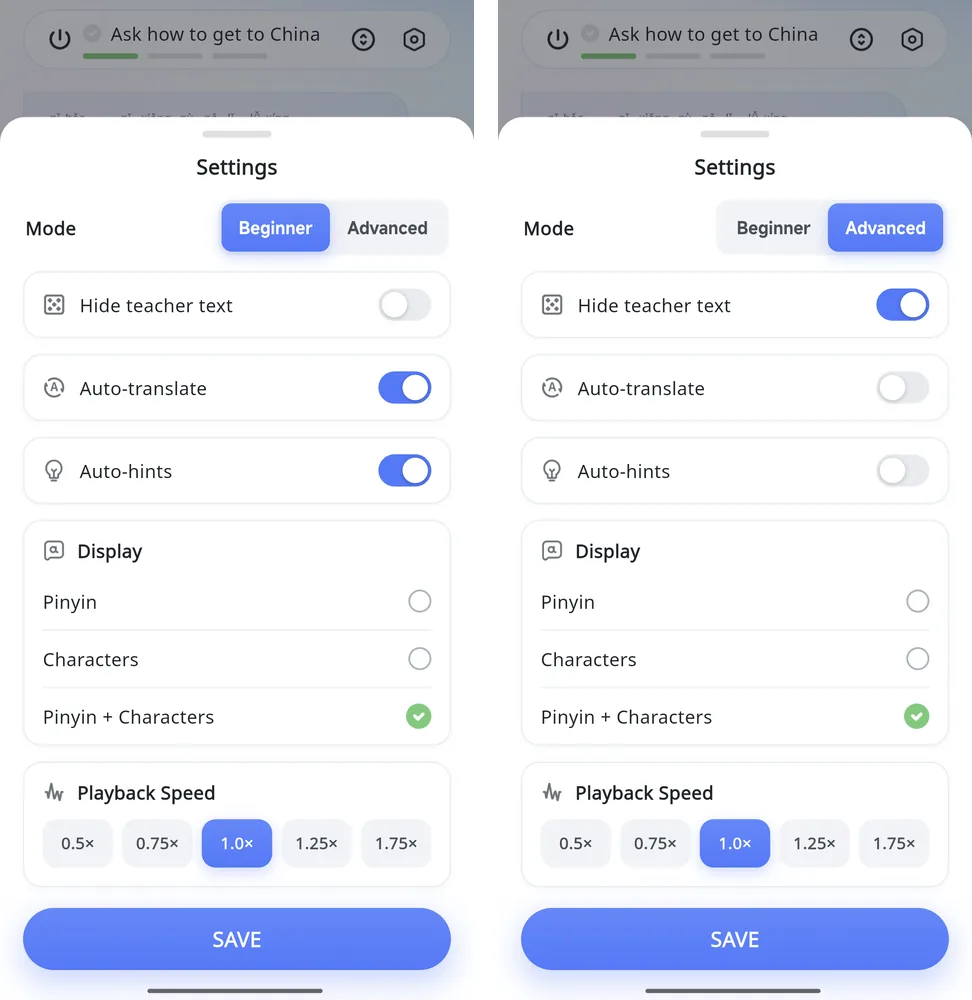
The mode in a Talk chat's settings decides what appears automatically. Beginner is the default: the tutor's lines show as text with pinyin, an English translation appears underneath, and a suggested reply is waiting before you answer. When listening alone is still hard, that gives every turn a starting point.
Advanced changes three things at once. It hides the tutor's text and turns off the automatic translation and the automatic hints, so an answer has to start from what you hear. The Example, Translation and Hint buttons stay on screen, which keeps help one tap away instead of on by default. You switch back to Beginner from the same setting.
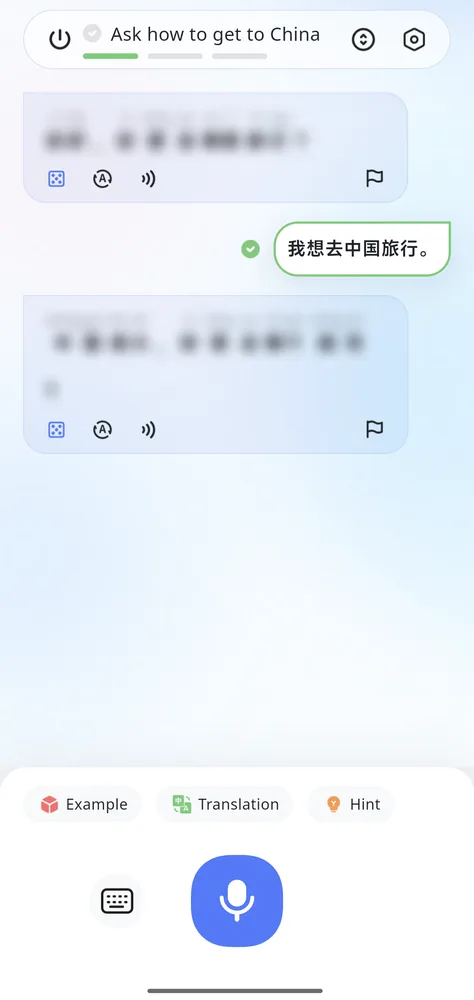
What the switch looks like in one chat
In one chat switched from Beginner to Advanced partway through, every tutor message blurred, the English lines disappeared, and the suggested reply was gone from the bottom of the screen. The learner's own replies stayed readable, and the three help buttons stayed below the chat. The scene and its tasks did not change; only the automatic support was removed.
Single-reply help: suggestions, example answers and translation
Some turns are harder than the rest of a conversation, and SureChinese has help sized for one reply. The "Try saying this" card offers a short answer in pinyin, characters and English; you can ask for a different suggestion or hear it read aloud. Example goes further, with three complete replies to choose from, each with audio and an English meaning. Translation is for the moment you know what you want to say in English: type it, and you get Chinese you can say or send.
Hint switches the suggestion card off and on. If the card starts doing the thinking for you, turn it off so the work stays with you until you need help.
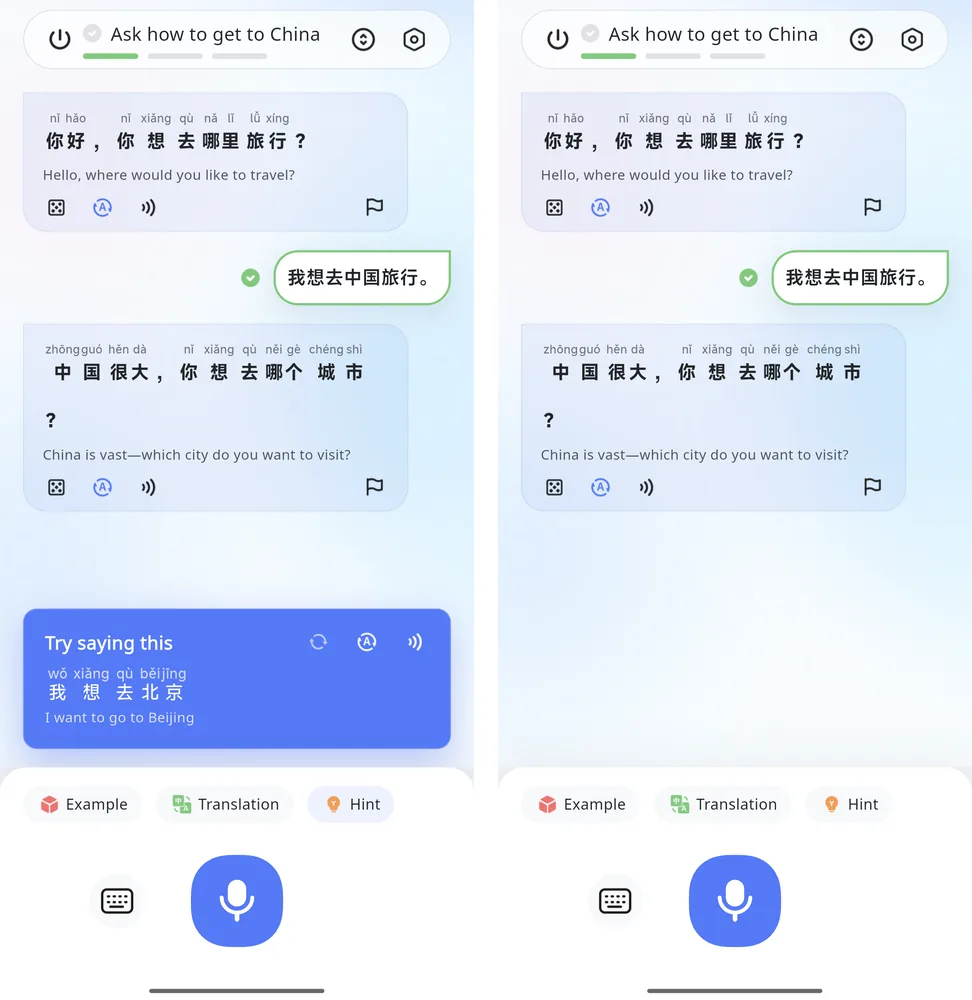
Using a suggestion, an example or a translation for one turn does not change the chat settings, so the next turn is yours again.
Display, playback speed and replays for stepping support down
Short of switching modes, you can make smaller adjustments. Tutor text can be shown as pinyin, characters or both, and the audio plays at 0.5x, 0.75x, 1.0x, 1.25x or 1.75x. Under each tutor message, one control shows or hides the English line and another blurs the Chinese and pinyin, so you can try the audio first and reveal the text afterward.
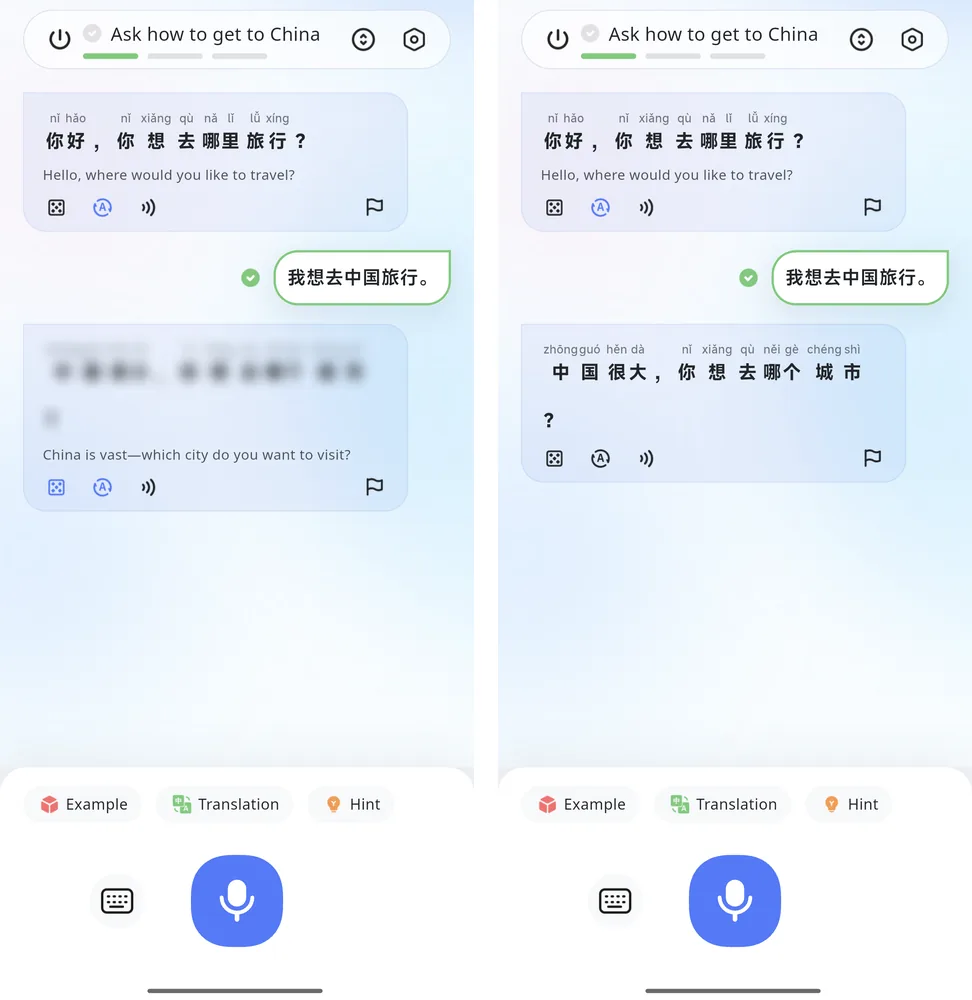
Talk lessons you have already finished can be replayed, which turns these settings into a way to move up gradually. A familiar scene can be played once with English showing, again with characters only, and again in Advanced mode, removing one kind of support per pass instead of all of it at once.
HSK 1–4 courses for the vocabulary behind your conversations
When a conversation is hard because the words themselves are new, more support in the chat only goes so far. SureChinese's main course covers that side: four levels aligned to HSK 1–4, with short lessons on vocabulary, sentences and grammar, and a separate Pinyin Course for the sounds. The course and the Talk lessons run side by side, so you can build vocabulary in one and use it in the other.
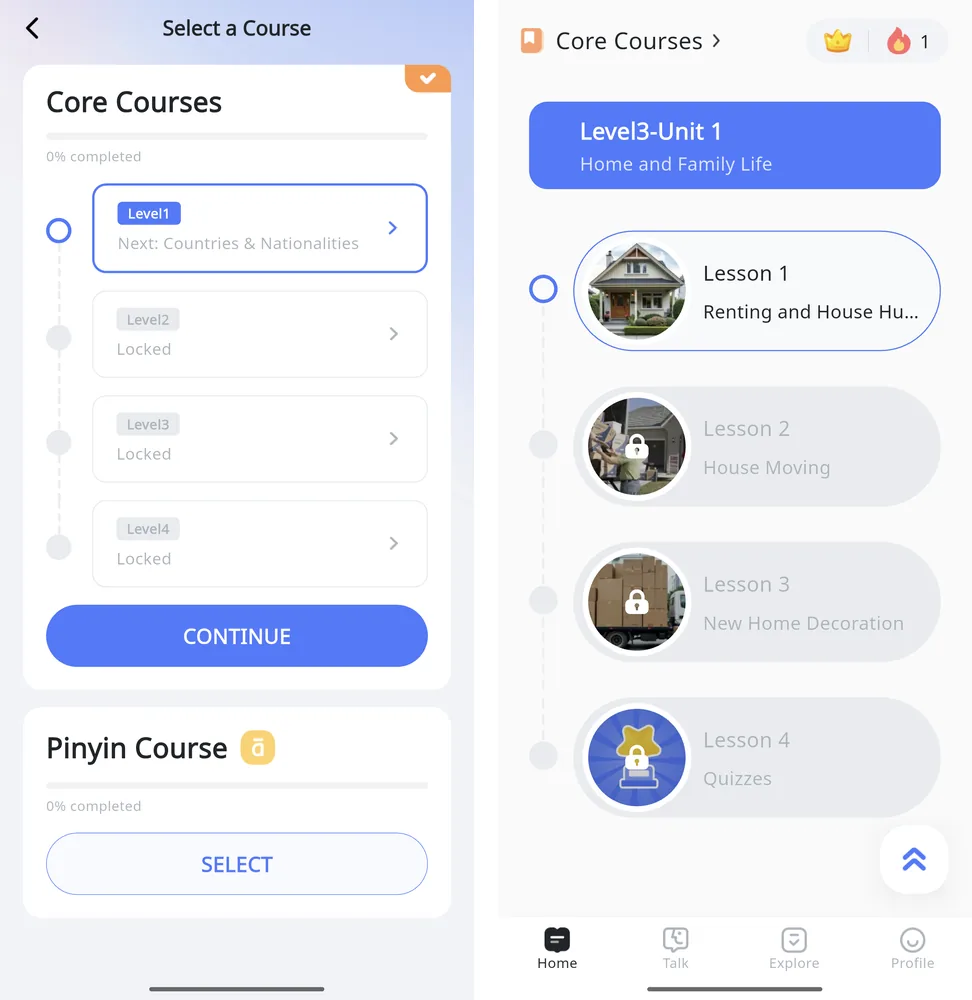
The course map lists each level's units and lesson topics, which is a quick way to see what a level covers before choosing where to begin.
SureChinese suits learners who want guided AI conversations they can practice with less support over time, alongside structured lessons for vocabulary, grammar and pronunciation.
Frequently asked questions
How can I change the support during a Talk conversation?
Choose Beginner or Advanced mode in the chat settings, then adjust single turns with the suggested reply, Example and Translation. Text display and playback speed can be changed in the same settings.
Do I need to read Chinese characters to start?
No. In Beginner mode the tutor's messages show pinyin over the characters with an English translation, and every line can be played as audio. The display setting can also show pinyin alone.
Can I try the conversation settings before subscribing?
Yes. Talk is available with limited access without a subscription, so you can try the settings described above before deciding.
Try one Talk lesson in Beginner mode, then replay it with one kind of support switched off, in SureChinese for iOS or Android.